bbt222 App — Play Anywhere in Bangladesh
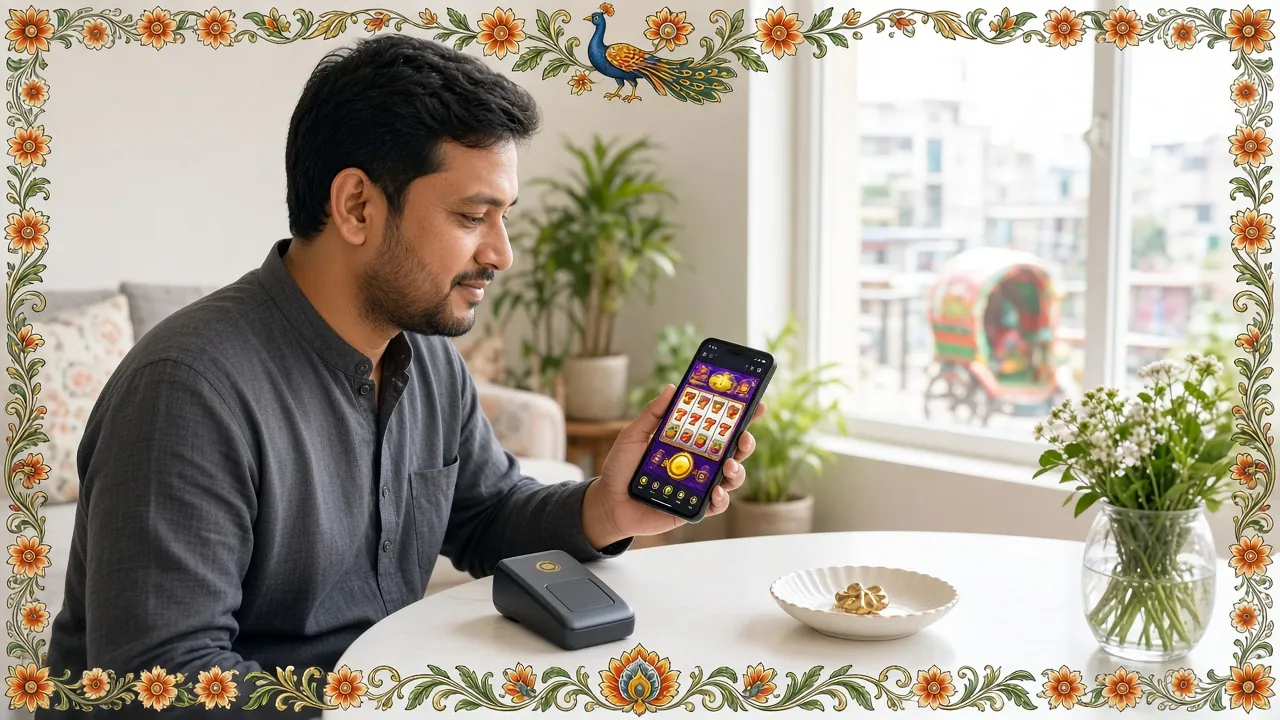
The bbt222 app brings your full casino account to your phone. Slots, live dealer tables, crash games, and sports — all in one lightweight APK. Deposit with bKash or Nagad, withdraw in ~38 minutes. No app store needed.
Scan the QR code below or share the link to download on your phone.
Is the bbt222 APK Safe to Install?
Android blocks apps from outside the Play Store by default. That's a sensible default — but the bbt222 APK is built to the same standard as any reputable app. Here's what you're actually agreeing to when you tap "Install."
No Malware, No Hidden Code
The bbt222 APK file is scanned and signed before each release. It does not bundle adware, spyware, or any background processes that phone home to third-party servers. The file you download from /download/bbt222.apk is the same file that runs on the production servers. If you downloaded from a third-party mirror, delete it and re-download from this page — the official source is the only one we can verify.
SSL-Encrypted Transfer
The download link uses HTTPS. Your connection is encrypted end-to-end, so your phone receives exactly what bbt222's servers sent — no tampering in transit. After installing, every request the app makes (login, deposit, game load) also runs over TLS. Your bKash or Nagad transaction credentials never travel in plain text. Look for the padlock in your browser address bar before you tap download.
Minimal Device Permissions
The bbt222 app requests only what it needs: Internet access (to load games and process payments), storage read/write (to cache game assets for faster load times), and vibration (optional win alerts). It does not request access to your contacts, camera, microphone, location, or SMS messages. If you see a permission prompt for any of those during install, you are installing a fake APK — delete it immediately.
Your Account is Password-Protected
The app stores a session token — not your password — on the device. If you log out or the session expires, you must enter your credentials again. We recommend setting a screen lock (PIN, pattern, or fingerprint) on your phone as a first line of defence. If your phone is lost or stolen, contact [email protected] immediately to freeze your account. Two-factor authentication is available from your account security settings.
App Version & System Requirements
Check these details before you download. The minimum Android version is 6.0 — if your phone is older, the browser version at bbt222.ws works on any device with a modern browser. The APK is free and always will be.
| Detail | Specification |
|---|---|
| App Name | bbt222 |
| Current Version | 3.3.4 |
| File Name | bbt222.apk |
| File Size | 58 MB |
| Minimum Android | Android 6.0 (Marshmallow) or higher |
| Last Updated | 3 November 2026 |
| Price | Free |
| Languages | English / Bangla |
| Platform | Android APK (direct install) |
Download bbt222 APK
Official download — always the latest version. No registration required just to download; you can install first and create your account inside the app.
Scan to download directly on your phone
App vs Browser: What's the Difference?
Both the bbt222 app and the mobile website give you full access to your account, games, and payments. The app adds a few extras that make a noticeable difference on slow connections — common on mobile data in Bangladesh.
| Feature | bbt222 App (APK) | Mobile Browser |
|---|---|---|
| Game loading speed | Faster — assets cached locally | Reloads assets each session |
| Push notifications | Yes — bonus alerts & deposit confirmations | Not available on Android browsers |
| Home screen shortcut | App icon, one tap to open | Requires bookmark or manual shortcut |
| Full game library | All games available | All games available |
| bKash / Nagad deposit | Yes — ৳300 minimum | Yes — ৳300 minimum |
| Withdrawal processing | ~38 minutes average | ~38 minutes average |
| Live casino streaming | Smoother on stable 4G | Depends on browser codec support |
| Auto-login on reopen | Session saved until logout | May expire between sessions |
| Data usage | Lower after first load (cache) | Higher — full reload each visit |
| iOS support | Android only (APK) | Works on iPhone / iPad |
Either way, your account balance, bonus wallet, and transaction history are identical — they sync to the same server.
What Can You Do in the bbt222 App?
The bbt222 app is a full gaming platform, not a cut-down mobile client. Everything available on the desktop site is accessible from your Android phone.
Slots & Video Games
Browse over 5,500 games from JILI, Habanero, JDB, FA Chai, Playtech, CQ9, and Sexy Gaming. Filter by provider or RTP. Games like Dragon Hatch (JILI, RTP 97.3%) and Win Drop (Habanero, RTP 97.3%) load in seconds on 4G. Minimum bet starts at ৳1 on most titles — good for stretching your first deposit bonus.
Live Casino Tables
Join live dealer rooms for European Roulette Pro (CQ9, RTP 97.6%), Baccarat, Dragon Tiger, and more. The app streams at a stable frame rate on a 4G connection. Minimum bet is ৳10 — suitable for casual play. The bbt222 Casino page covers the full live table catalogue.
Crash & Aviator-Style Games
Crash games let you cash out before the multiplier drops. The bbt222 app supports fast tap-to-cashout — the in-app response time is quicker than a browser tab. If you mistime the round, the round ends immediately with no input lag. See our Aviator guide for strategy tips.
Fishing Games
Fishing games are a popular format in Bangladesh — you fire cannons at fish for multiplied prizes. Titles include Caishen Fishing (JILI, RTP 97.7%), Bingo Fishing (JDB), Star Fishing (JILI), and Relax Fishing (FA Chai). Bet from ৳5 upward. The touch controls in the app are noticeably more accurate than a browser on a small screen.
Deposits & Withdrawals
Deposit with bKash, Nagad, Rocket, Upay, or Bank Transfer — minimum ৳300. Deposits arrive in roughly 6 minutes. Withdrawals take about 38 minutes on average; the minimum withdrawal is ৳1,400. Everything is processed inside the app — no need to open a browser. Visit the Deposit Guide for step-by-step payment instructions.
Bonuses & VIP in the App
Your 155% welcome bonus (up to ৳30,000) is fully accessible from the app — claim it from the Promotions tab after your first deposit. Daily cashback, reload bonuses, and referral rewards (৳150 per referral) all update in real time. VIP tier progress is visible in your account profile. Register first at /bbt222-register/ to activate your welcome offer.


How to Install the bbt222 APK on Android
The whole process takes under three minutes. The key step is allowing installation from outside the Play Store — Android requires this for any direct APK. Here's exactly what to do.
-
1
Allow Unknown Sources
Open Settings → Security (or Settings → Apps → Special App Access → Install Unknown Apps on Android 8+). Find your browser (Chrome or the Files app) and toggle Allow from this source to ON. This one-time setting lets Android install APK files downloaded outside the Play Store. You can turn it off again after installation if you prefer.
-
2
Download the APK
Tap the Download APK button on this page — or scan the QR code above with your phone's camera. The file is 58 MB, so a Wi-Fi connection is faster, but it works on 4G too. If your browser asks "This type of file can harm your device", tap Download anyway — this is a standard browser warning for all APKs, not a virus alert.
-
3
Open the Downloaded File
Once the download completes, pull down your phone's notification shade and tap bbt222.apk. Alternatively, open your Files app, go to the Downloads folder, and tap the file. Android will launch the installer screen showing the app name, version (3.3.4), and the permissions list. Review it — you should only see Internet access, storage, and vibration.
-
4
Tap Install & Wait
Tap the blue Install button. Installation takes about 10–20 seconds depending on your phone's speed. Do not tap "Open" on the confirmation screen yet if you haven't already created an account — it's faster to register on the website first, then log in to the app so your account links correctly from the start.
-
5
Log In or Register
Open the bbt222 app. Tap Log In if you already have an account (bbt222 Login), or tap Register to create a new account in under two minutes. After logging in, go to the Deposit tab, choose bKash or Nagad, and deposit at least ৳300 to activate your 155% welcome bonus (up to ৳30,000). Wagering requirement: 14×.
iOS Users: Add bbt222 to Your Home Screen
Apple does not allow APK files. iPhone and iPad users can get a near-app experience by saving the bbt222 website as a web app. It opens full-screen with no browser chrome.
-
1
Open Safari (must be Safari — Chrome on iOS does not support this). Go to bbt222.ws.
-
2
Tap the Shareicon at the bottom of the screen (the box with an arrow pointing up).
-
3
Scroll down in the share sheet and tap Add to Home Screen. Give it a name — "bbt222" works fine.
-
4
Tap Add in the top-right corner. The bbt222 icon now appears on your home screen. Tap it to open in full-screen mode — no address bar, no tabs, just the game.
Common Installation Problems & Fixes
Most install failures come down to one of five causes. Find yours in the table below and follow the fix — it usually takes under a minute to resolve.
| Problem | Likely Cause | Fix |
|---|---|---|
| "Install blocked" or "Not allowed" | Unknown sources permission not enabled for the browser or file manager you used to open the APK | Go to Settings → Security → Install Unknown Apps. Find the app you used to open the file (Chrome, Files, etc.) and toggle "Allow" to ON. Then tap the APK file again. |
| "App not installed" after tapping Install | A previous or corrupted version of the bbt222 APK is already on your device, causing a signature conflict | Go to Settings → Apps → bbt222 and uninstall any existing version. Then re-open the newly downloaded APK and install fresh. Your account data is on the server — nothing is lost. |
| Download stops midway or file is 0 KB | Unstable mobile data connection or server timeout during the 58 MB download | Switch to Wi-Fi if possible. Delete the incomplete file from your Downloads folder. Tap the Download APK button again from this page. Do not try to open an incomplete APK — it will always fail to install. |
| App opens but shows blank white screen | Android WebView is outdated — the in-app browser engine needs updating to render the game lobby correctly | Open the Play Store, search for "Android System WebView," and tap Update. After the update completes (it takes about 2 minutes), reopen the bbt222 app. The lobby should load normally. This fix works for 90% of blank-screen reports. |
| Games load but crash or freeze mid-session | Insufficient free RAM — older phones with less than 2 GB RAM can struggle with live casino streams running alongside background apps | Close all other apps before opening bbt222. Go to Settings → Developer Options → Background Process Limit and set it to "At most 2 processes" if the option is available. For live casino specifically, connect to Wi-Fi for a more stable stream. If the problem persists, contact [email protected]. |
Questions Players Ask About the bbt222 App
These are the questions our support team receives most often about the bbt222 app download and installation. If your question isn't here, Live Chat is open around the clock.
Is the bbt222 APK safe — will it damage my phone?
The bbt222 APK is built and signed by the same team that runs the website. It requests only three permissions: internet access, storage (for caching game assets), and vibration. It does not access your contacts, camera, microphone, or SMS. The download is served over HTTPS, so the file cannot be tampered with in transit. If you downloaded from a site other than bbt222.ws, delete that file and re-download from this page — third-party mirrors may bundle additional software. Run a quick scan with your phone's built-in security tool if you're unsure.
Why does Android say "blocked by Play Protect" when I try to install?
Google Play Protect flags all APKs that weren't distributed through the Play Store — it's a blanket warning, not a specific finding against bbt222. When the warning appears, tap More details and then Install anyway. Play Protect has not identified any specific threat in the bbt222 APK. If you prefer, you can temporarily disable Play Protect scanning in Play Store → Profile icon → Play Protect → Settings. Re-enable it after installation if you want it active for other apps.
How do I update the bbt222 app to the latest version?
The bbt222 app does not update automatically like a Play Store app. When a new version is released, you will see an in-app notification banner prompting you to update. Tap it and you will be taken to this download page. Download the latest APK (the filename is always bbt222.apk), open it, and tap Update — Android will keep your existing account session. The current version is 3.3.4, updated on 3 November 2026. You can also check the version number in the app under Settings → About.
Can I use the bbt222 app on two phones at the same time?
Yes — your bbt222 account can be logged in on multiple devices simultaneously. Install the APK on each Android phone following the same steps. Use the same username and password to log in. Note that some game providers limit a single account to one active game session at a time, so you cannot play the same game concurrently on two devices. Deposits and withdrawals made on one device appear immediately in your balance on all others, since everything syncs to the same account on our servers.
Does the bbt222 app work without an internet connection?
No — the bbt222 app requires a live internet connection. All game results are generated on the server (not on your phone), and all transactions — deposits, withdrawals, bonus credits — are processed online. The app caches some interface assets locally to speed up loading, but you cannot play games offline. A stable 4G connection is enough for slots and fishing games. Live casino streaming works best on 4G with strong signal or Wi-Fi. If your connection drops mid-game, most providers pause the round and resume when you reconnect.
What happens to my account if I uninstall the app?
Nothing. Your bbt222 account, balance, bonus wallet, VIP tier, and transaction history are all stored on our servers — not on your phone. Uninstalling the app simply removes the app files from your device. Re-install anytime by downloading the APK from this page again. Log in with the same credentials and your account is exactly as you left it. If you've forgotten your password, use the Forgot Password link on the login screen or visit bbt222 Login and follow the reset instructions.
Is there a minimum deposit required after installing the app?
Yes — the minimum deposit at bbt222 is ৳300. This applies whether you deposit through the app or the website. To qualify for the 155% welcome bonus (up to ৳30,000), your first deposit must meet the minimum and you must opt in from the Promotions tab before depositing. The wagering requirement is 14× the bonus amount. Supported payment methods in the app include bKash, Nagad, Rocket, Upay, and Bank Transfer. Deposits typically arrive in about 6 minutes. Full deposit instructions are on the Deposit Guide page.
Related Pages
18+ · Play Responsibly · Responsible Gaming